

This wonderful program allows the operator to create a
mask (new file).

You must create your first mask. A mask contains
mp3 sounds or music that you can layered over the lower alpha,
theta personal voice frequencies.
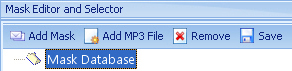
Select Mask Editor and Selector
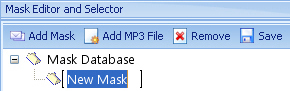
Select ADD MASK
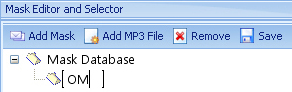
Enter name for MASK “OM”
Select ADD MP3 FILE and look for
Om30 in MP3 selection
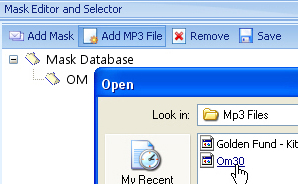
Highlight new mask file OM30
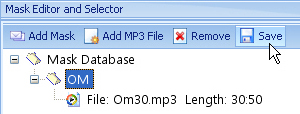
Select SAVE
Go to SELECTED MASK
(located at bottom of screen) and select the MASK “OM”
so it is defaulted. You can create as many MASKS as you
want.

Whenever you select
the menu option PLAY MASKED AUDIO PROGRAM the highlighted
mask program in SELECTED MASK will be used.


Click on "Add MP3 file" and a
file menu appears with a selection of default Mp3 audio
samples. Simply select one or a group and they will appear
under the title you gave to the "New Mask".
You can highlight any selection in the
"New Mask" tree, click on play and listen to the
file. Keep that sample or select "Remove". The
operator can create many custom masking programs for their
clients.
When creating a Masked
Program, please be aware of the time each MP3 segment plays.
The basic VAHS audio program runs for over 32 minutes and
the imprinting program runs for 22 minutes. With that in
mind you want our MP3 mask program to run a little longer
then the audio program. The Play Masked Audio Program or
Burn Masked Audio Program will continue running until the
final audio finishes.
We have discovered
that some of the MP3 masks may be defective. If you create
a program and it stops playing before the program is complete
please send us an email so we can remove it from future
installs. To date we know that Secret Forrest is defective.


